
The FIFA Connect ID system provides a dedicated Data Quality Dashboard to help Member Associations (MAs) monitor and improve the quality of their data.
You can read more about Data Quality Dashboard here:
https://support.id.ma.services/support/solutions/articles/7000093432-data-quality-dashboard

Access the dashboard directly here:
FIFA Connect ID Admin Console Data Quality
One of the most important issue to address in the dashboard are records that need to be taken over from TMS (Transfer Matching System). Addressing this area is essential to:
- Ensure correct data ownership,
- Reduce duplicates,
- Improve overall data consistency across systems.
- Correct distribution of training compensation and rewards via FIFA Clearing House
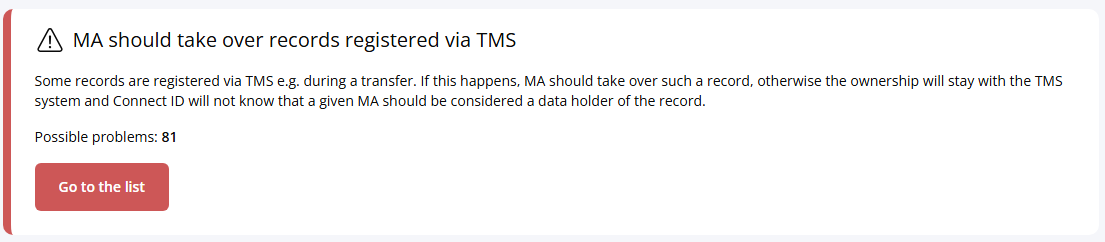
Taking Over Records from TMS
Records created via TMS are often owned by the TMS system. However, once a player is part of your federation’s ecosystem, ownership should be transferred to your MA.
This process is referred to as “taking over a record”.
Technical overview of taking over records is available here:
https://support.id.ma.services/support/solutions/articles/7000091231-transfer-taking-over-an-existing-player-technical-overview
Why is takeover important?
- Ensures your MA has full control over the record
- Enables proper data updates and validation
- Prevents duplication across systems
- Improves compliance with FIFA data standards
Step 1: Pre-cleaning (handled by FIFA)
Before any manual work is required, FIFA may perform a pre-cleaning exercise:
FIFA checks which TMS records already exist in your National Registration System (NRS). For those records, ownership will be automatically transferred to your MA.
What you need to do:
Let us know that you are interested in performing this check by writing email to our support at: support.id@fifa.org
Step 2: Review remaining records in Data Quality Dashboard
After pre-cleaning, go to the Data Quality Dashboard and check the updated number of records still owned by TMS. These remaining records:
- do not exist in your NRS
- require manual review and classification
Step 3: Investigate each remaining record
Based on experience, the remaining FIFA IDs typically fall into one of the following categories:
Case 1: Cancelled transfers
Player was linked to your federation via TMS and transfer was cancelled or never completed
Action required:
No action needed — do not take over ownership
Case 2: Duplicate created in TMS
A new FIFA ID (a duplicate) was created via TMS (by a new/engaging federation). But a correct (primary) record already exists in your NRS. TMS record is a duplicate and the NRS record is the valid one.
Action required:
Identify the correct (primary) record in your NRS and then merge the TMS record into the primary record. If you already have a ticket in DXP for such a pair of FIFA IDs, DXP will recommend that these actions are performed by the FIFA TMS. This is an edge case, however, and we ask you, as the federation who actually created a duplicate (via TMS) to perform the data fixing actions - in this case it will only be a merge operation. When you do it, please use the option to "escalate the ticket to FIFA". We will then wait a couple of days until the FIFA ID is corretly replaced by the TMS team and close the ticket.
Case 3: Duplicate created in NRS
TMS created a correct (original) FIFA ID. Later, a duplicate record was created in your NRS. This means that TMS record is the primary record and NRS record is a duplicate.
Action required:
Merge the NRS duplicate into the TMS (original) record and take over ownership of the original FIFA ID from TMS by adding your MAs registration in Connect ID. Ensure only one active record remains.
Key Recommendations
- Always identify the primary (correct) record before merging. If you are in doubt how to do it, there are generally two ways:
- Go to DXP and register a ticket. If two FIFA IDs are marked as duplicated, DXP will show which one is a "Primary FIFA ID" and which one is a "Secondary FIFA ID".
- Go to Audit Trail and check which record has been registered first. This one will always become primary/original.
- Avoid taking over records that are not relevant (e.g. cancelled transfers)
- Use FIFA DXP Platform where cross-association coordination is required
Need Help?
No worries—we’re here to assist! Just send us a message at support.id@fifa.org, and we’ll be happy to guide you through the dashboard and help improve your data quality processes.